Estimates, Invoices, Jobs, and Marketing. Works perfectly offline.
Native iPhone and Android apps that open instantly and keep working in basements, concrete buildings, and rural sites — with private iCloud sync on iOS and encrypted local backup export on Android.
Core CRM
Dashboard & Revenue Tracking
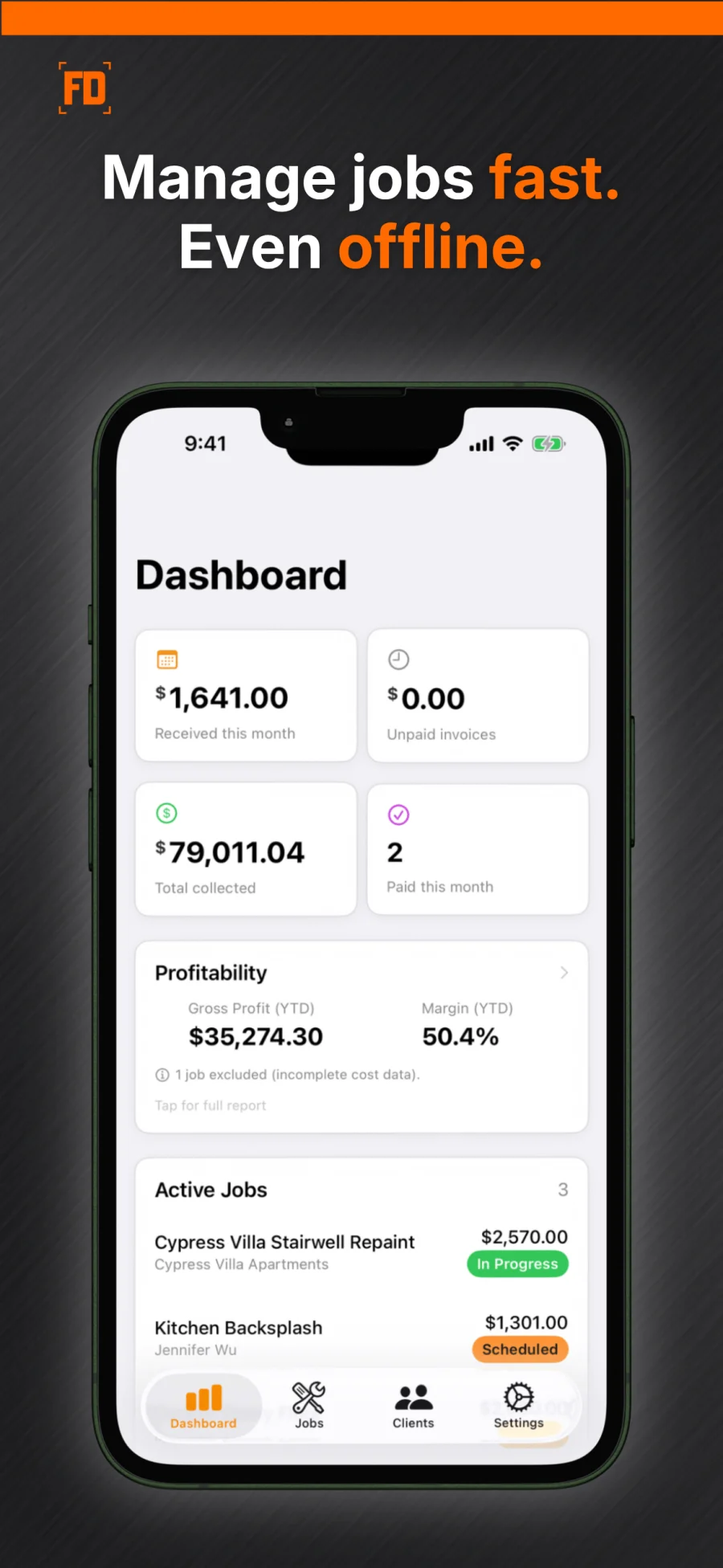
See monthly revenue, outstanding balances, profitability metrics, and jobs completed at a glance. Active jobs and upcoming scheduled work stay front and center.
Jobs, Clients & Status Tracking
Manage the full job lifecycle from Quote to Paid. Track clients, line items, notes, photos, and status — all in one place.
Job Photo Tagging
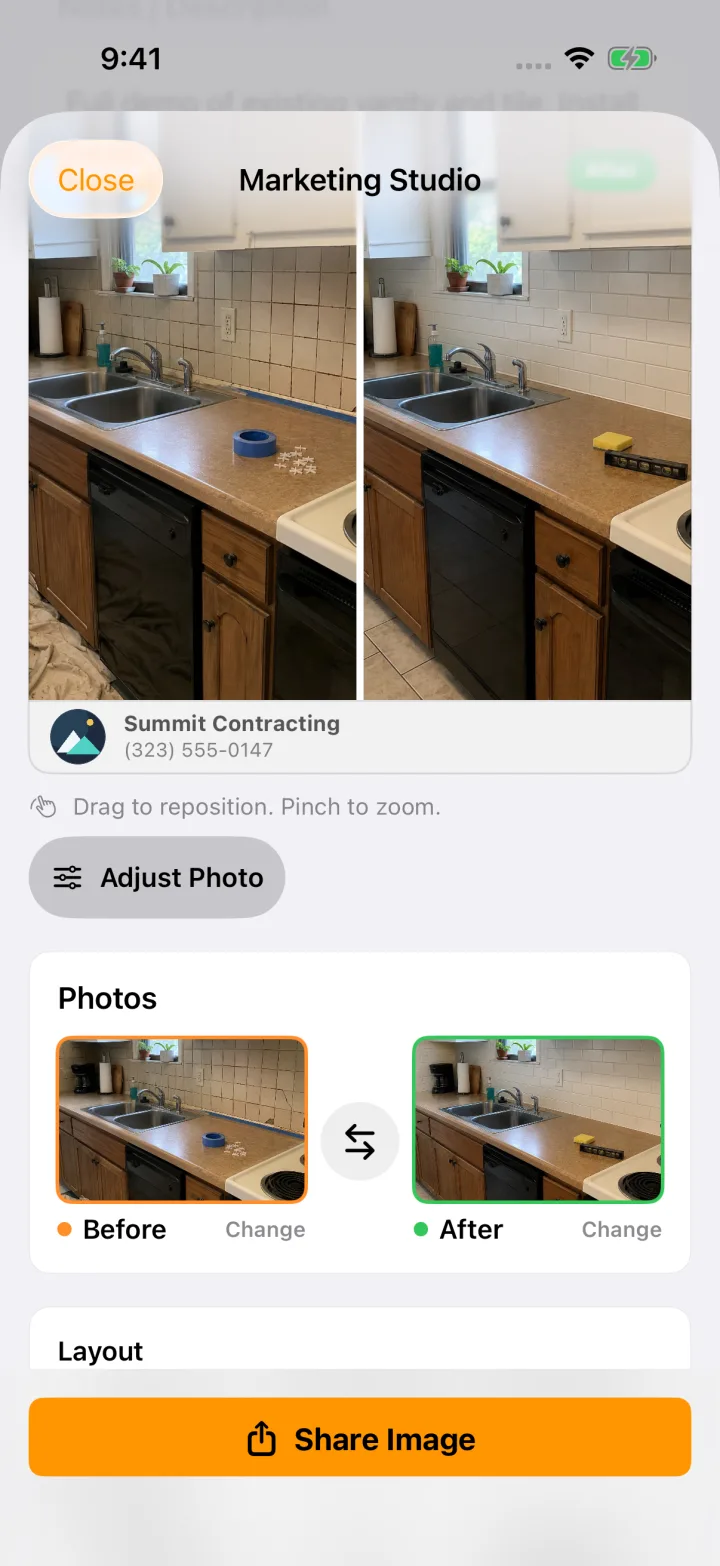
Capture and tag photos as Before or After so every job stays organized. EXIF metadata is automatically stripped for client privacy.
Templates & Item Catalog
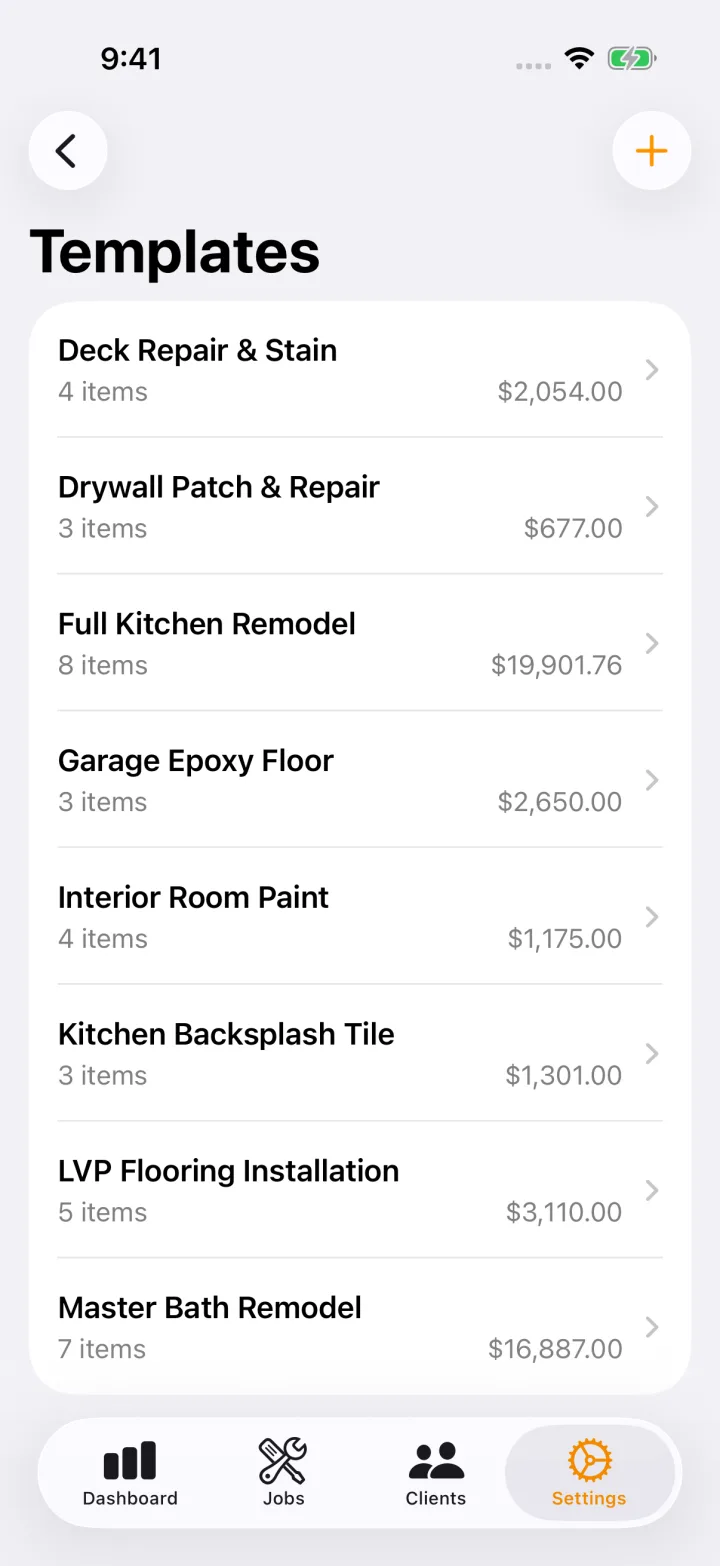
Save common jobs as templates and build a reusable catalog of materials, labor rates, and custom items you can add to any job in seconds.
Job Costing & Profitability
Job Cost Tracking
Track your actual costs per line item alongside what you charge the customer. Categorize every item as material, labor, or equipment — and see gross profit and margin per job instantly.
Profitability Report
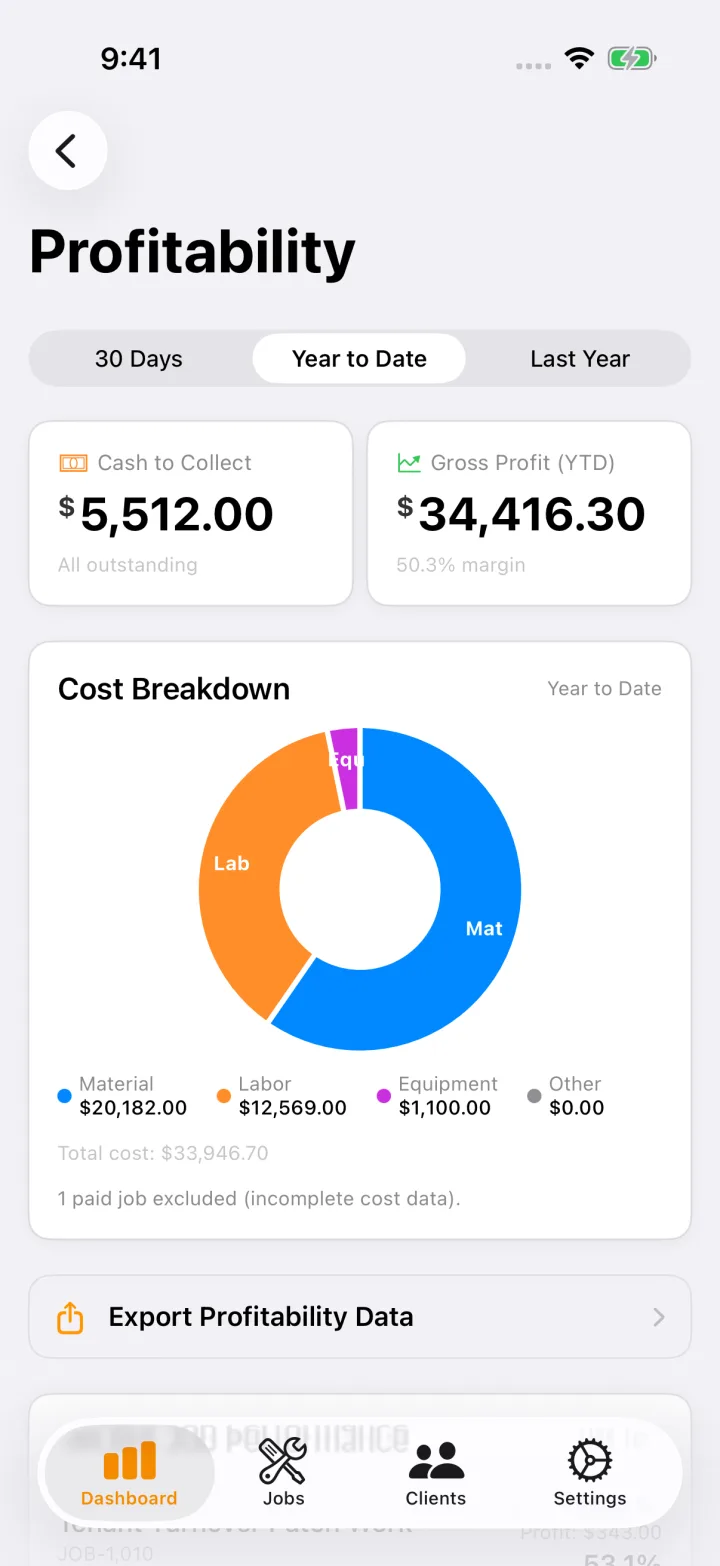
See your cash to collect, rolling 30-day profit, and cost breakdown by category. A performance feed flags jobs under 20% margin so you can fix pricing before it's a pattern.
Lump Sum Invoicing
Toggle any job between itemized and lump sum on client-facing documents. Protect your markups and hourly rates — internal costs never appear on invoices or quotes.
Estimates, Invoicing & Your Terms
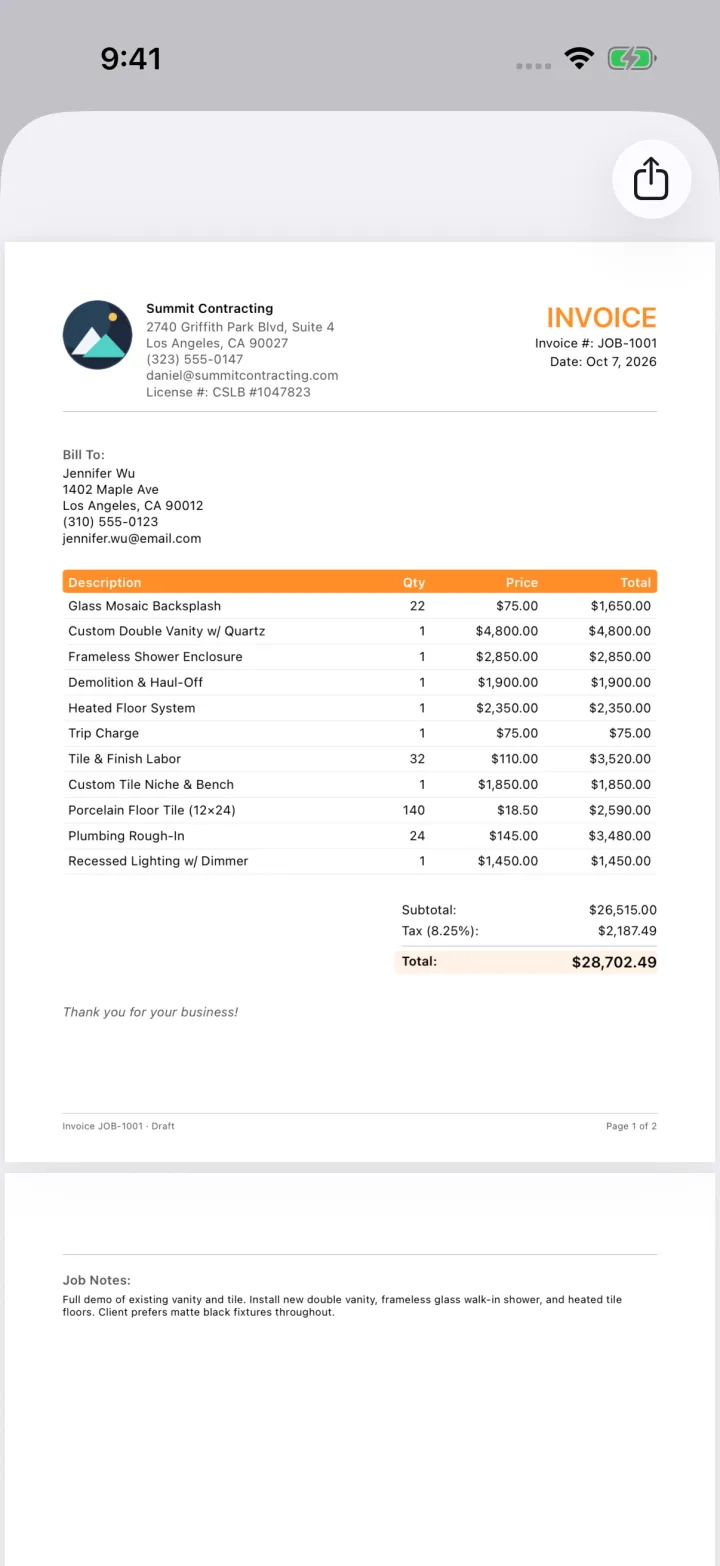
Professional PDF Invoices
Generate polished invoices with your business info, itemized line items, tax, discounts, and down payment tracking. Add logo branding with Pro.
Quote Presentation & Digital Signatures
Present estimates to clients on-device with a full-screen view and capture client signatures on glass.

Down Payment Tracking
Track down payments and set your own optional percentage reminder.
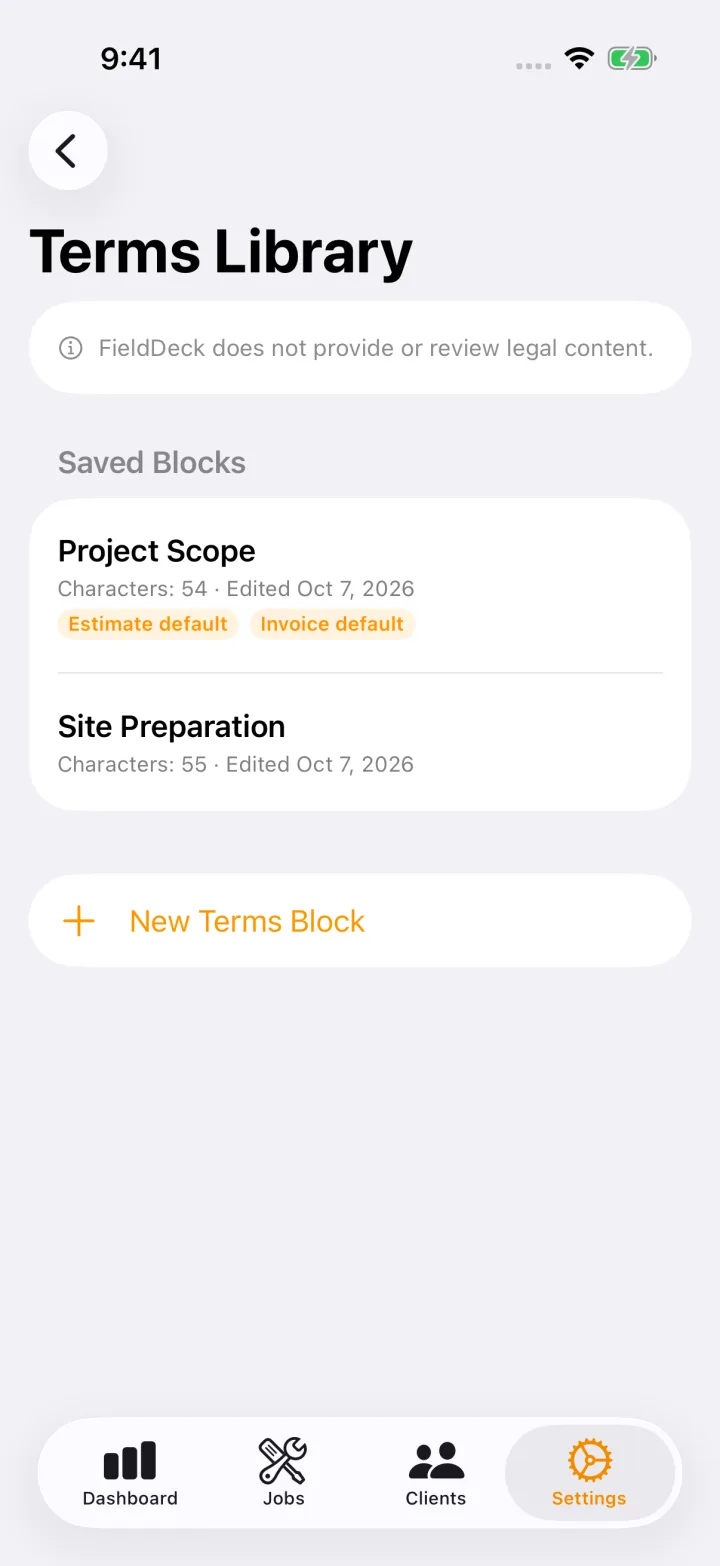
Custom Terms Library
Write named, reusable blocks of your own plain-text Terms. Set separate estimate and invoice defaults, then select or customize a job copy. Your complete text appears in the PDF. Issue & Lock saves a numbered version; available older versions can be reshared. FieldDeck does not supply or review legal clauses.
Data & Productivity
Offline-First Storage, Sync & Encrypted Backup
Work on jobs, clients, photos, and estimates without a signal. On iOS, core records sync through your iCloud account when available; on Android, records stay on your device and you can export a password-protected AES-256 database backup. Issued PDFs and document attachments stay on the creating device.
Device Calendar & Smart Notifications
Keep scheduled work on your calendar: on iOS, scheduled jobs automatically appear in iOS Calendar; on Android, you can add or update individual jobs in your device calendar with privacy controls for client details. Get local reminders before scheduled jobs and alerts for stale quotes.
English & Spanish App UI and PDFs
Switch the app between English and Spanish anytime using the in-app language selector in Settings without changing your device language. Estimate and invoice PDF labels render in English or Spanish to match your language setting, alongside your own written Terms.
Marketing Studio
Live Preview
Design at 60fps with drag/zoom and a true-to-export preview.
Any-Photo Collages + Single Photo Mode
Build collages from any photos or create branded standalone images. Choose horizontal, vertical, or single-photo layouts.
Premium Branding + White-Label
Add business card footers, custom company logo branding, and automatic Before/After badges with Pro.
Ready to try it?
Start free with up to 3 jobs on iPhone or Android. No credit card required.
- Up to 3 jobs free. No time limit.
- Estimates & invoices included.
- No card needed to start.